Have you ever sent a message on your iPhone and noticed it turned green instead of blue?
If so, you might have wondered, “What does green text mean on iPhone?” You’re not alone.
Millions of iPhone users notice this color shift and wonder if it’s a bug, a technical glitch, or even a secret code!
In simple terms, the green text color on iPhone messages signals that your text was sent as an SMS/MMS instead of iMessage.
This small color difference can cause confusion, especially for those new to Apple devices.
Understanding this distinction helps you know why your messages may not have special features like read receipts, typing indicators, or high-quality media.
In this guide, we’ll break down everything about green texts on iPhone—from their meaning and history to usage across apps like WhatsApp, Instagram, and Snapchat. Let’s dive in!
What Does Green Text Mean in Text & Chat? 💬
On iPhones, messages appear in two main colors in the Messages app: blue and green.
- Blue Text: Sent via iMessage (Apple’s internet-based messaging system).
- Green Text: Sent as a traditional SMS (Short Message Service) or MMS (Multimedia Messaging Service).
So if your message is green:
- You may not be connected to the internet.
- The recipient might not have an iPhone.
- iMessage may be temporarily unavailable.
💡 Quick Tip: Green texts don’t support iMessage-exclusive features like read receipts, high-res photos, or Tapback reactions.
Full Form, Stands For & Short Meaning of Green Text
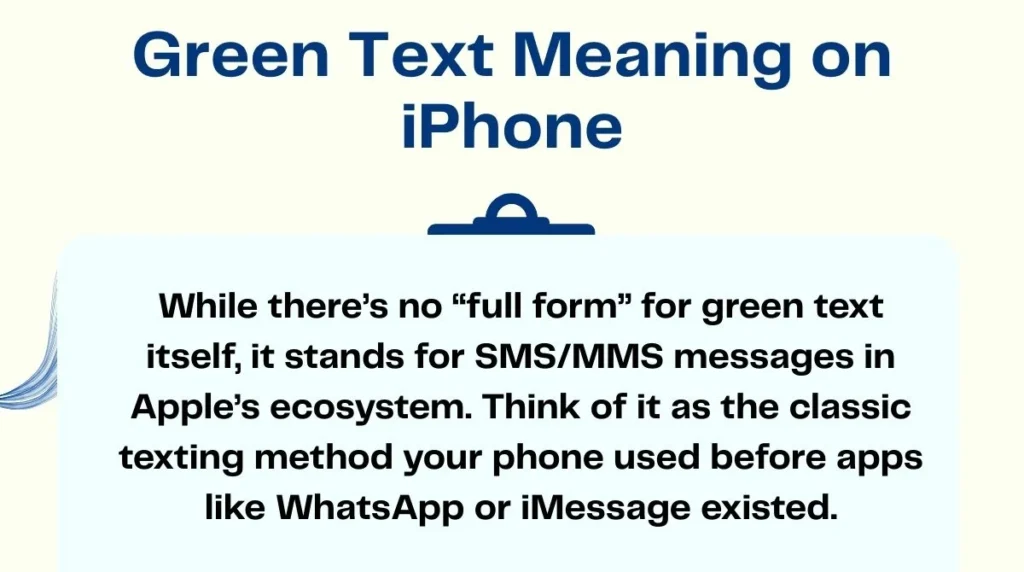
While there’s no “full form” for green text itself, it stands for SMS/MMS messages in Apple’s ecosystem. Think of it as the classic texting method your phone used before apps like WhatsApp or iMessage existed.
Short meaning:
- Green text = SMS/MMS message
- Blue text = iMessage
It’s that simple!
Origin, History & First Known Use of Green Text
Apple introduced iMessage in 2011 with iOS 5, giving iPhone users a free messaging option over Wi-Fi or cellular data. To help users differentiate, Apple used color coding:
- Blue for iMessage
- Green for SMS/MMS
The choice of green was likely deliberate to signal “classic” messaging vs. Apple’s internet-based service. Since then, the color distinction has become a cultural reference among iPhone users—people jokingly saying things like, “If it’s green, it’s mean!” 😅
How People Use Green Text in Daily Conversations
Green text appears in multiple daily scenarios:
- Messaging a friend who has an Android phone.
- Sending texts without Wi-Fi or cellular data.
- Communicating internationally when iMessage isn’t available.
💬 Examples:
- “Hey, can you pick me up?” (green if recipient is Android)
- “Happy Birthday! 🎉” (green if iMessage is off)
People also joke about it in social media posts, often teasing friends for not having iPhones.
Green Text Meaning Across WhatsApp, Instagram, TikTok & Snapchat
Interestingly, green text meaning is mostly limited to iPhone’s Messages app. Other platforms handle messages differently:
- WhatsApp: All messages are internet-based; color coding doesn’t indicate SMS vs. data.
- Instagram DMs: No color distinction, just read receipts.
- TikTok Chat: Similar to Instagram, no green/blue coding.
- Snapchat: Colors exist but signify chat type (e.g., red for snaps, blue for chats), not SMS.
So green texts are iPhone-specific jargon rather than universal messaging slang.
Different Meanings of Green Text in Other Fields
Outside Apple, “green text” can mean different things:
- Online forums & 4chan: Green text often indicates quoted text or storytelling.
- Programming: Green text might show successful commands or console output.
- Gaming: Sometimes used for system notifications or friend activity.
⚠️ So context matters: green text on iPhone ≠ green text everywhere else.
Common Confusions, Mistakes & Wrong Interpretations
Many iPhone users misinterpret green texts:
- Misconception: “Green text means the person blocked me.” ❌
- Misconception: “Green text messages are slower or not delivered.” ❌
- Fact: They are standard SMS/MMS messages, so delivery speed depends on your carrier.
💡 Pro Tip: Don’t overthink the color—it’s just a message type indicator.
Similar Terms, Alternatives & Related Slang
- Blue bubble: iMessage
- SMS/MMS: Standard messaging
- RCS (Rich Communication Services): Android’s iMessage-like service
- Texting green: Slang for “using regular SMS instead of iMessage”
Examples of Green Text in Real Chat Situations
- Scenario 1: “Hey! Can you send the file?” (Sent as green → recipient is Android)
- Scenario 2: “Where are you? 🏃♂️” (Green → no iMessage available)
- Scenario 3: “Happy Holidays! 🎄” (Green → recipient’s iMessage off)
Short bullets make it easy to quickly identify green messages in your chat history.
How to Reply When Someone Sends Green Text
- Treat it like a regular text.
- Avoid worrying about missing iMessage features.
- If it’s urgent or media-heavy, suggest switching to WhatsApp or another platform.
💡 Example Reply: “Got your message! I’ll call you in a bit 📞”
Is Green Text Still Popular? Trends & Online Usage
Green text hasn’t become “old-fashioned,” but its usage is decreasing as more people adopt iMessage, WhatsApp, and other internet-based chat apps. It remains relevant when communicating with Android users or when iMessage fails.
- iPhone users often joke online: “If it’s green, it’s mean!” 😄
- Some teens now refer to Android users as “green bubble friends.”
FAQs About Green Text on iPhone
1. Why is my text green on iPhone?
It means your message was sent as SMS/MMS, not iMessage.
2. Does green text mean the person blocked me?
No, it only indicates the message type, not delivery or blocking status.
3. Can green texts send images or videos?
Yes, but quality may be lower than iMessage.
4. How to change green text to blue?
Ensure both you and the recipient have iMessage enabled and internet access.
5. Are green texts free?
No, SMS/MMS may incur carrier charges, unlike iMessage which uses data.
Conclusion
Green texts on iPhone are simple yet often misunderstood.
They indicate traditional SMS/MMS messages, unlike iMessage’s blue texts.
While they may lack some modern messaging features, green texts are reliable, widely used, and essential for cross-platform communication.
Understanding the meaning behind the green bubble helps avoid confusion, improve texting etiquette, and even join in on some playful online jokes about “green bubble friends.”
So next time your iPhone shows green, just smile—it’s classic texting at its core!

Joseph Henry is the creative mind behind PunsMarkete, spreading smiles one clever pun and joke at a time. He believes laughter is the shortest distance between people.